🇮🇳 Made for Indian Tutors  ★ Built for India

Manage Your
Tuition Fees
Effortlessly.

Stop chasing payments with WhatsApp messages and Excel sheets. TrackMyFees tracks every student, every rupee, every class — automatically.

A
R
S
+
Trusted by private tutors across India
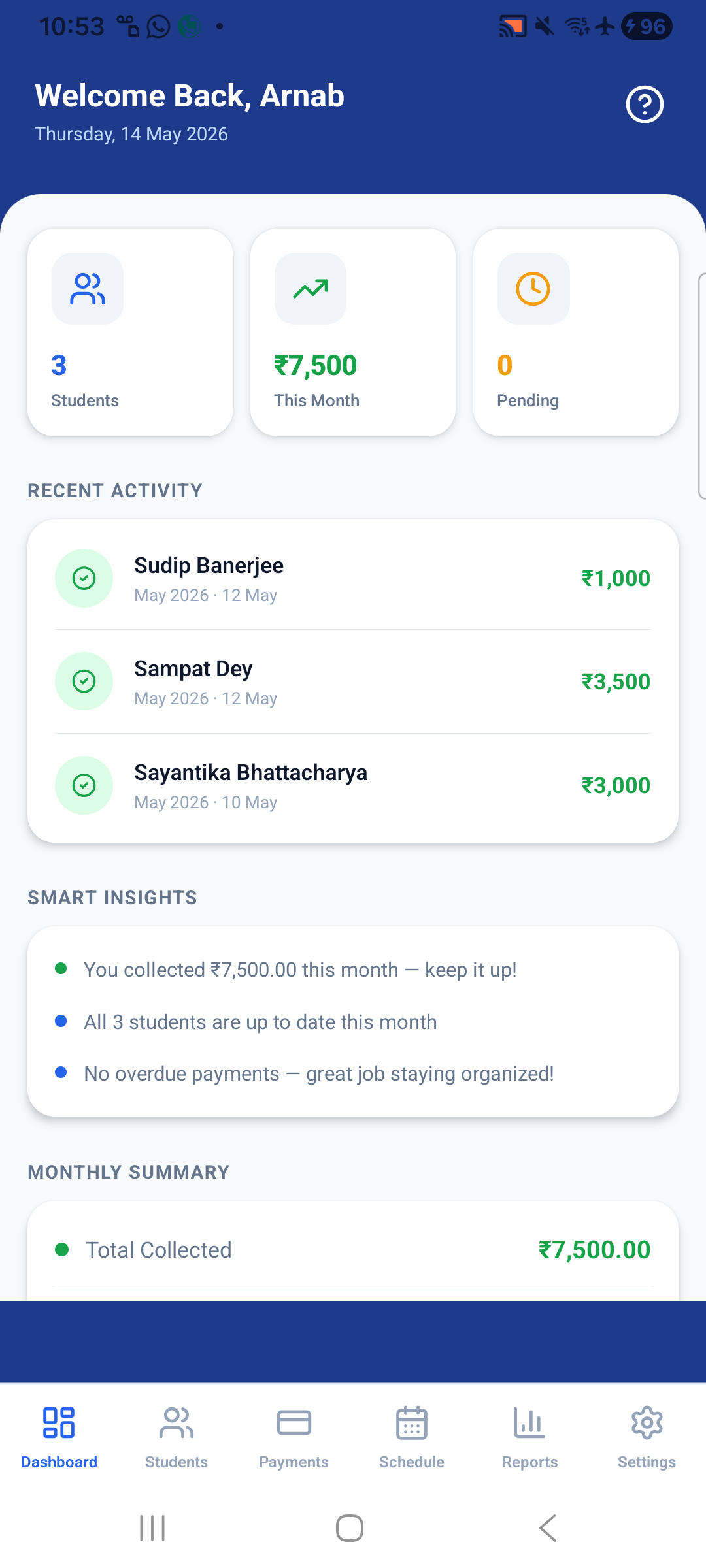
TrackMyFees Dashboard
₹7,500 collected this month
3 students · 0 pending
Works with
💬 WhatsApp
📹 Google Meet
🎥 Zoom
📄 PDF Invoices
☁️ Cloud Backup
🔔 Payment Reminders
👥
Students Supported
🧾
7
Report Types
🌍
195
Country Codes
☁️
100%
Cloud Backup
✦ Features

Everything you need.
Nothing you don't.

Built specifically for private tutors — not generic business software. Every feature solves a real problem you face every month.

📊

Your earnings at a glance

Open the app and instantly know how much you've collected, what's pending, and who hasn't paid — without hunting through notebooks or chat histories.

  • Monthly collected vs pending summary
  • Smart insights (e.g. "All 3 students paid this month — great job!")
  • Upcoming classes in the next 24 hours
  • Recent payment activity feed
Dashboard
👥

All your students, organised

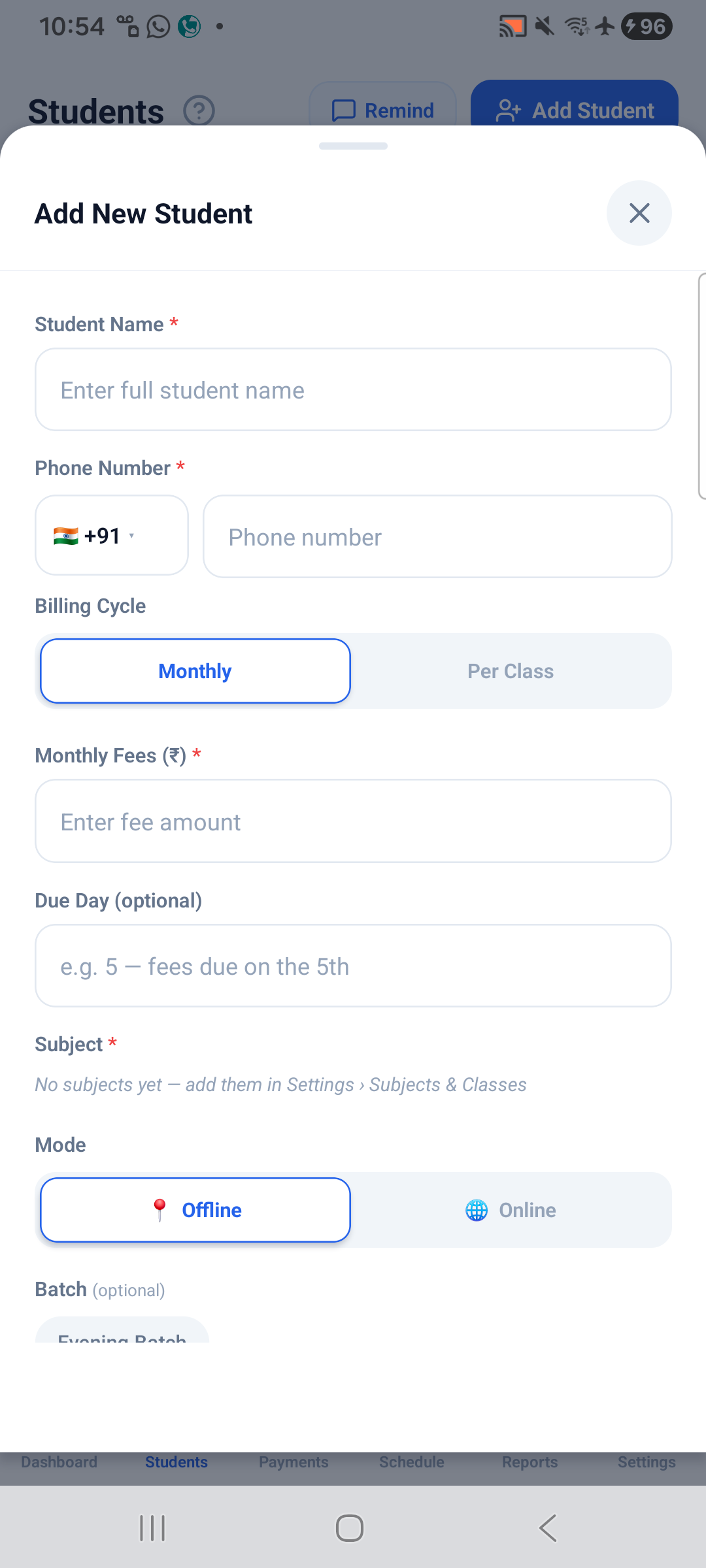
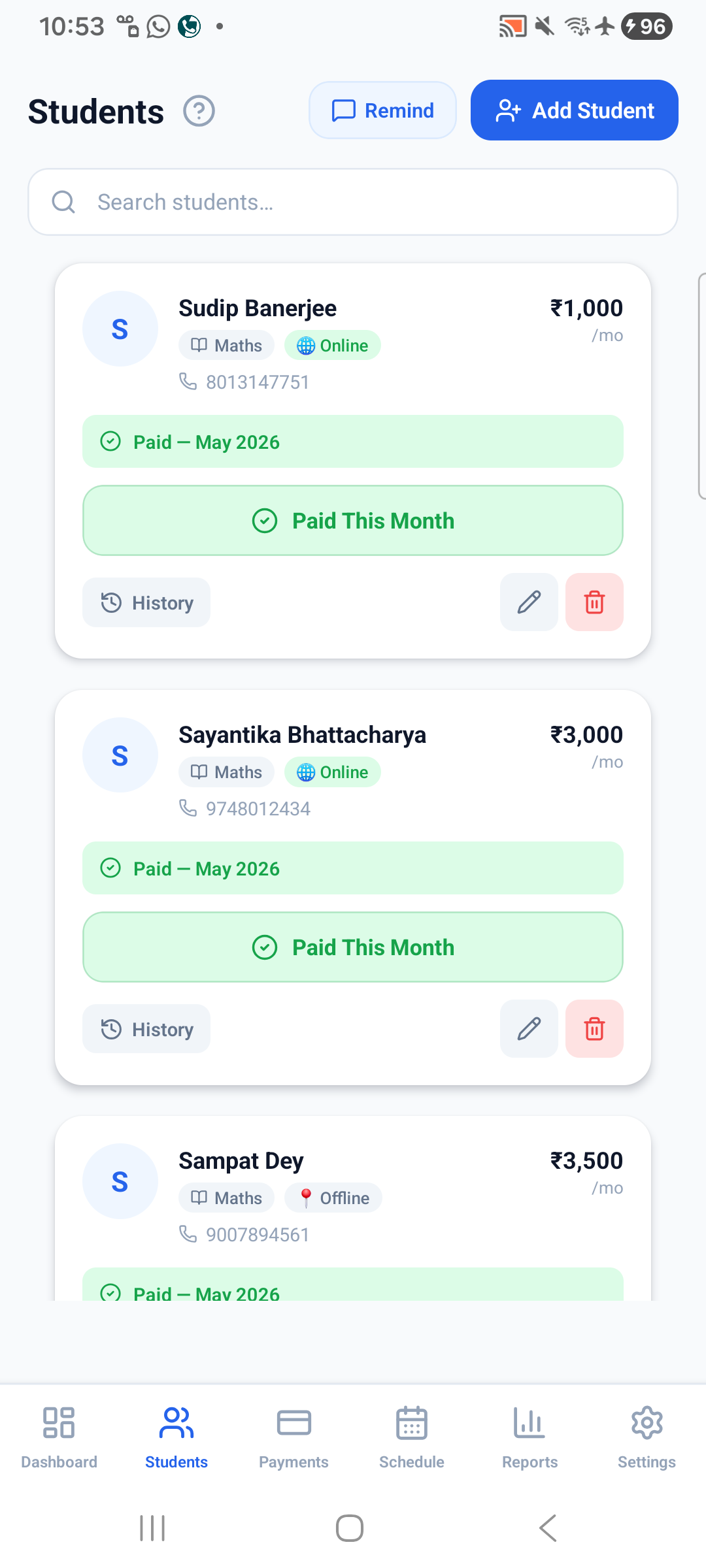
Add students in seconds with their subject, class, billing mode, and WhatsApp number. See their payment status at a glance and search instantly.

  • Monthly or per-class billing modes
  • Online / offline teaching mode
  • Batch grouping for group classes
  • One-tap WhatsApp reminder to each student
Students
💳

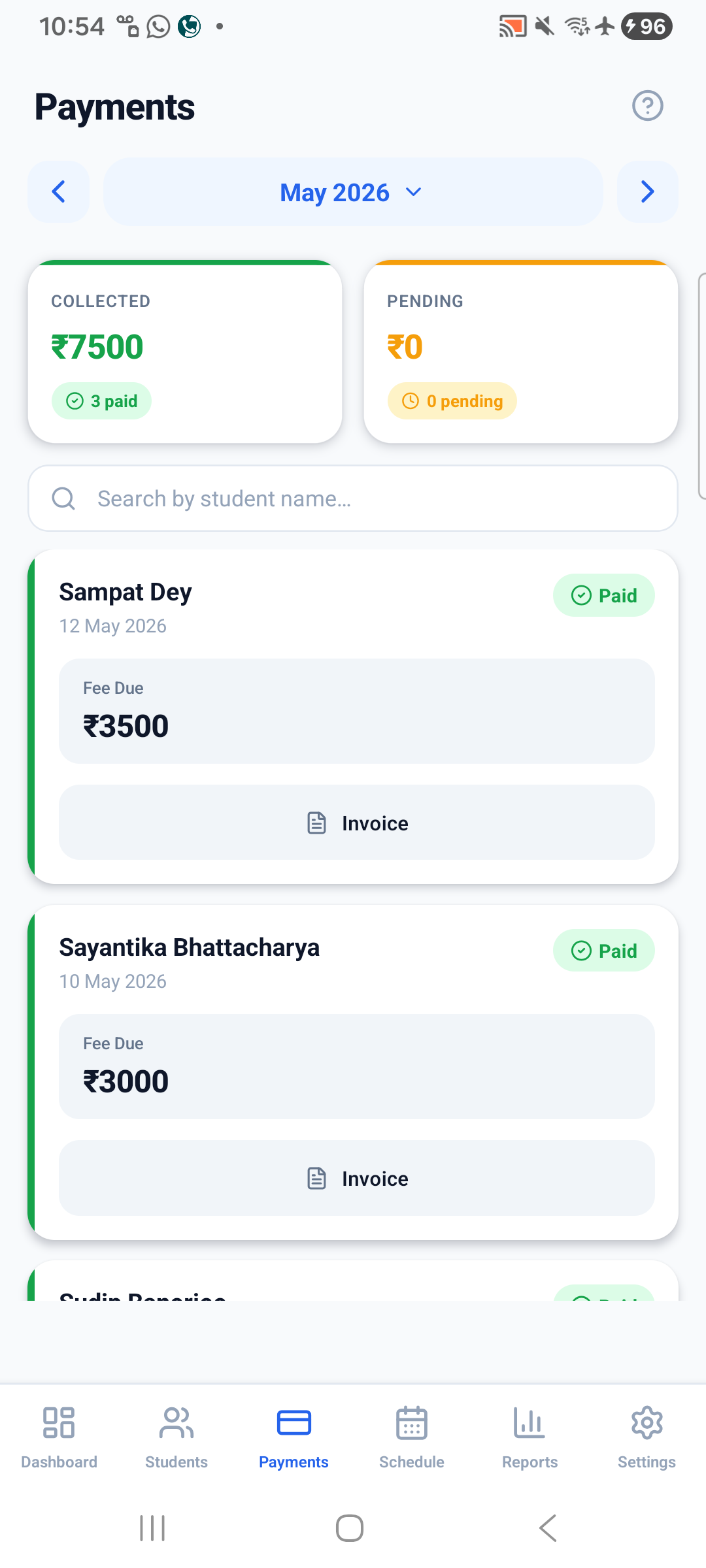
Fee tracking that actually works

See every student's fee status for any month — even months before you installed the app. Record full, partial, or pending payments with a single tap.

  • Paid / Partial / Pending status per month
  • Record fees for any past or future month
  • Collected vs pending totals with progress bar
  • One-tap PDF invoice generation and sharing
Payments
📅

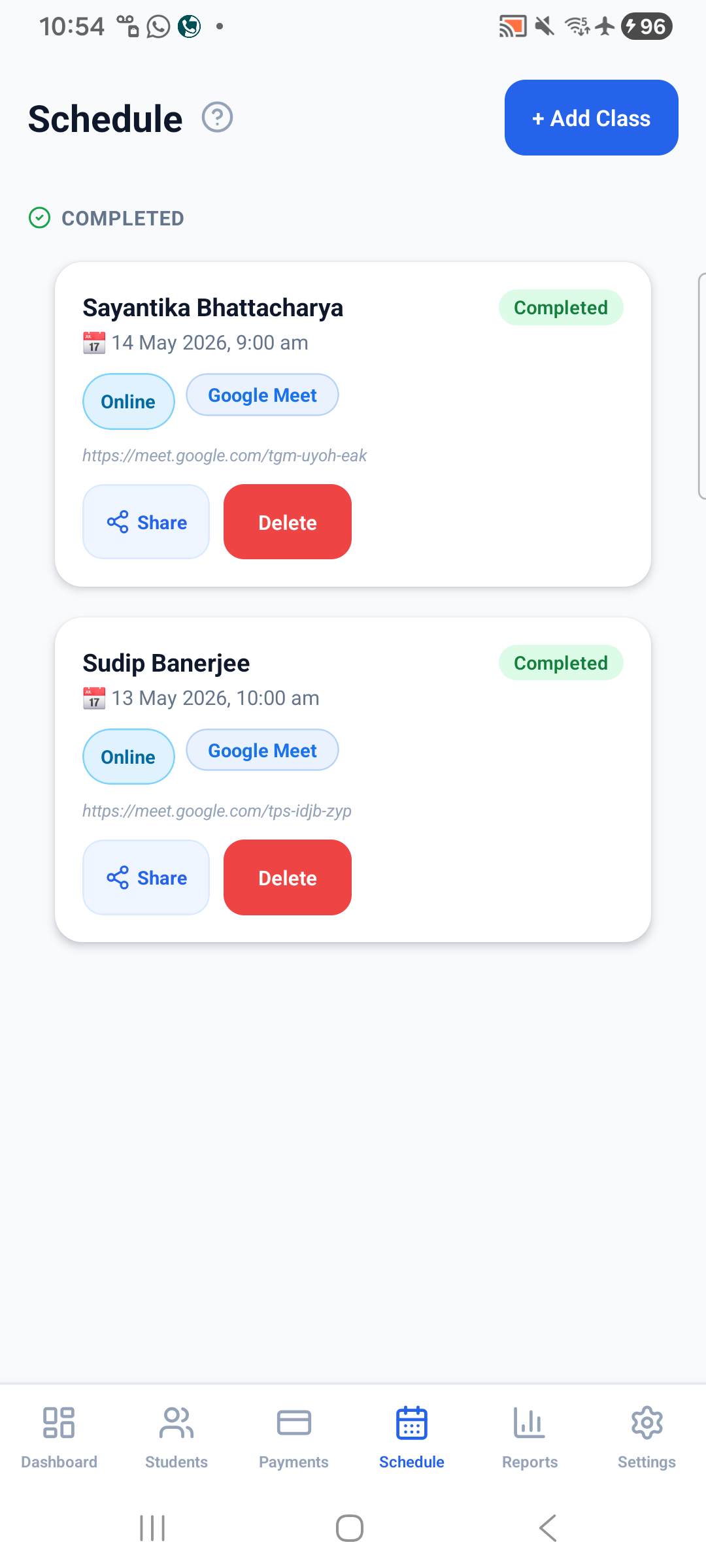
Class scheduling with Google Meet

Schedule online and offline classes with date, time, and platform. Auto-create Google Meet rooms linked to Google Calendar — or paste any meeting link manually.

  • Google Meet auto-scheduling via Calendar API
  • WhatsApp, Zoom, and custom platform support
  • Share class details to student in one tap
  • Mark classes done and track history
Schedule
📈

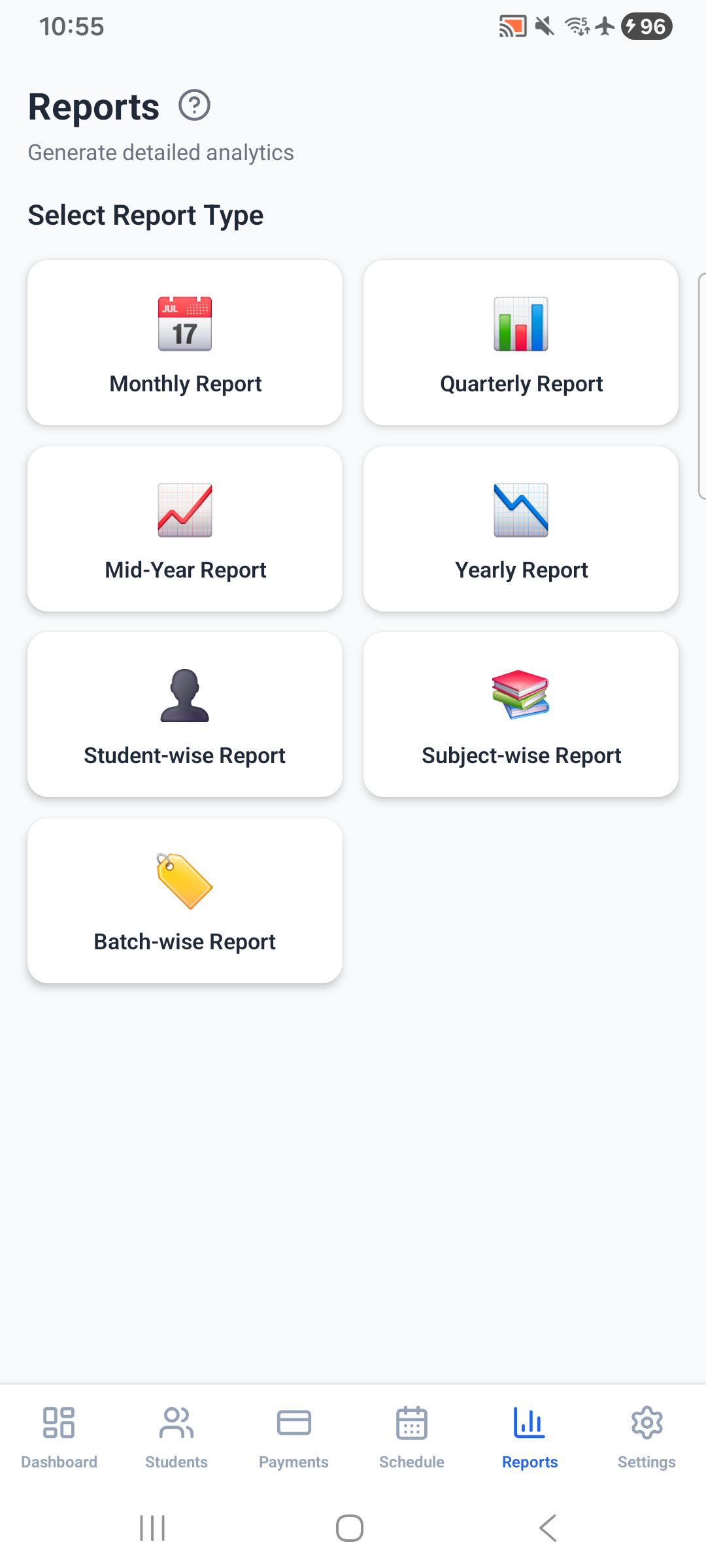
7 types of income reports

Generate monthly, quarterly, mid-year, and yearly income reports — or break it down by student, subject, or batch. Export to PDF and share instantly.

  • Monthly · Quarterly · Mid-Year · Yearly
  • Student-wise · Subject-wise · Batch-wise
  • Export to PDF and share via WhatsApp
  • Track income trends across months
Reports
📱 Screenshots

See every screen

Swipe through all 6 tabs of the app

Dashboard
Dashboard
Students
Students
Add Student
Add Student
Payments
Payments
Schedule
Schedule
Reports
Reports
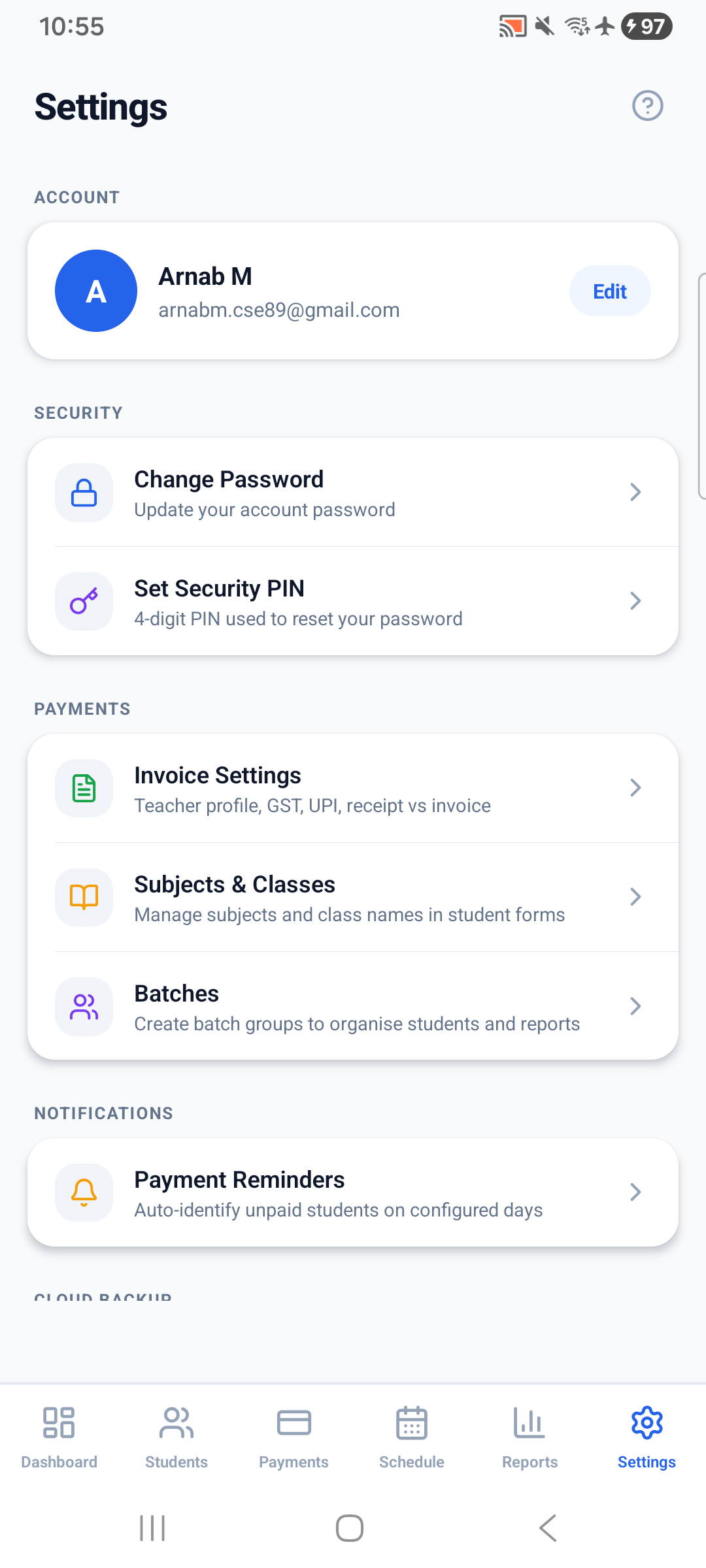
Settings
Settings
⚡ Why TrackMyFees

Better than your current solution

Most tutors manage fees with notebooks, WhatsApp, or Excel. Here's how TrackMyFees compares.

Feature TrackMyFees Notebook Excel / Sheets WhatsApp
Track paid / pending fees ✓ Automatic ⚠ Manual ⚠ Manual
PDF invoice generation ✓ One tap ⚠ Complex
WhatsApp reminders ✓ Auto message ⚠ Manual ⚠ Manual
Income reports ✓ 7 report types ⚠ Build yourself
Google Meet scheduling ✓ Auto-create
Cloud backup ✓ Always on ⚠ Manual
Works offline ⚠ Limited
Works Offline ✓ Yes ✓ Yes ✗ No ✗ No
💬 Testimonials

Tutors love it

Real feedback from private tutors who switched from notebooks and WhatsApp to TrackMyFees.

★★★★★

"I used to spend 30 minutes every month just figuring out who paid and who didn't. Now it takes 30 seconds. The WhatsApp reminder button is a lifesaver."

P
Priya Sharma
Maths tutor · Delhi
★★★★★

"The Google Meet integration is brilliant. I schedule a class, it creates the Meet link automatically and sends it to my students. Never thought an app could save this much time."

R
Rajesh Verma
Physics tutor · Mumbai
★★★★★

"Generating a PDF invoice and sending it on WhatsApp used to take me 20 minutes in Excel. Now it's literally one tap. My students are impressed with how professional it looks."

A
Ananya Das
English & Science tutor · Kolkata
❓ FAQ

Common questions

Yes — completely free to download and use. There are no subscriptions, no in-app purchases, and no ads. All features are available from day one at zero cost.
All your data is stored securely in Firebase (Google's cloud database) and linked to your Google account. If you lose your phone, simply install the app on a new device, sign in with the same Google account, and all your data is restored instantly.
Absolutely. TrackMyFees supports both online and offline teaching modes. For offline classes, no meeting link is needed — just schedule the class with date and time and you're done.
You need to connect your Google account once inside the Schedule tab. After that, tapping "Auto-Schedule with Google Calendar" creates a Meet room and adds it to your calendar automatically. This requires the production app build — not Expo Go.
Yes. Go to Settings → Invoice Settings and fill in your teacher name, school/institute name, GST number, UPI ID, and bank account details. These appear on every PDF invoice you generate.
Yes. You can create batches in Settings → Batches and assign students to them. The Reports tab then lets you generate batch-wise income reports to see earnings per batch.
Currently TrackMyFees is available on Android only. An iOS version is planned for a future release.

Start managing your fees today

Download now. No ads.
Your students, your earnings, your control.

Download on Google Play View all features